¶ Step-by-step guide to install Java Standalone / Spring Boot
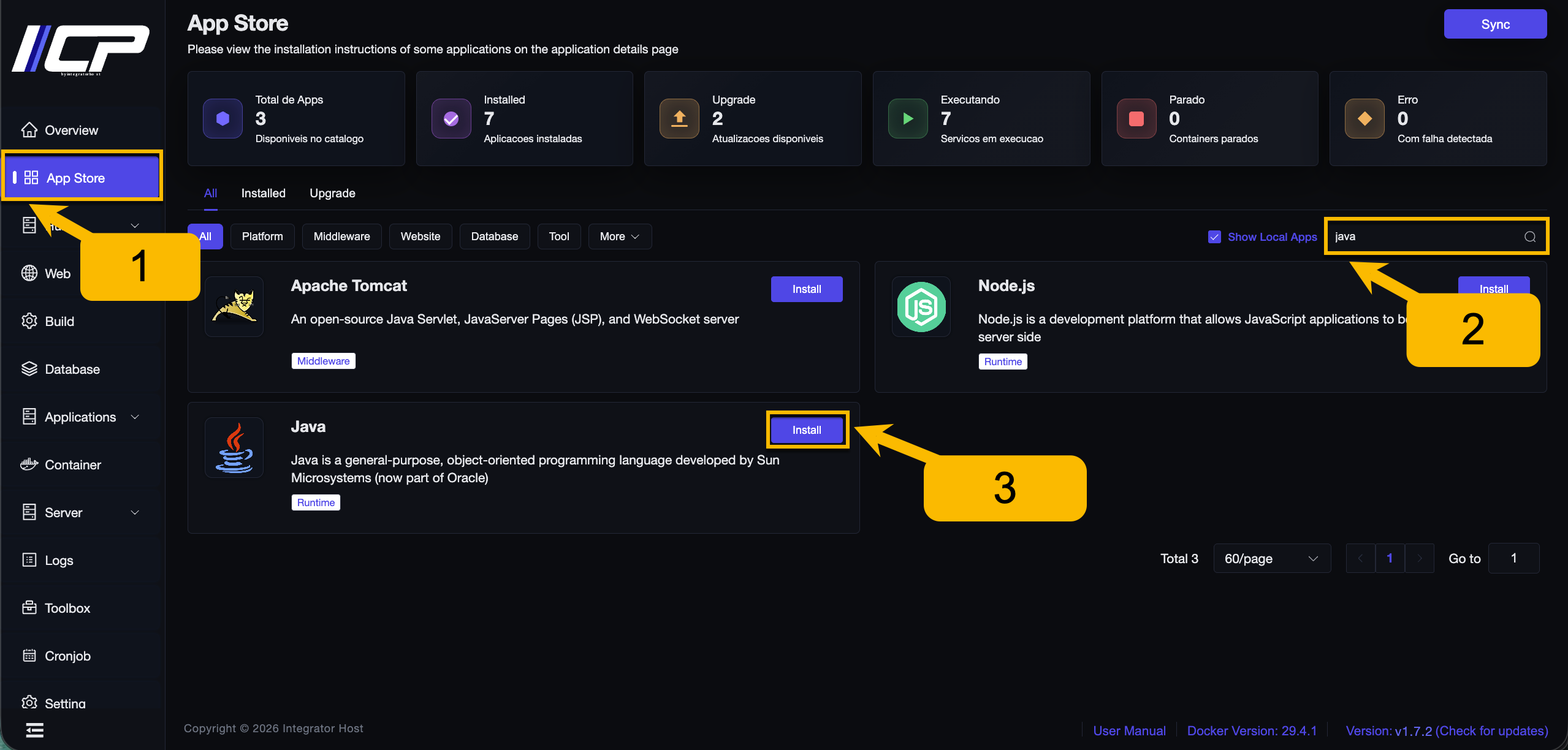
1. In the side menu, locate and click App Store.
2. Search for the Java application.
3. Click the Install button.
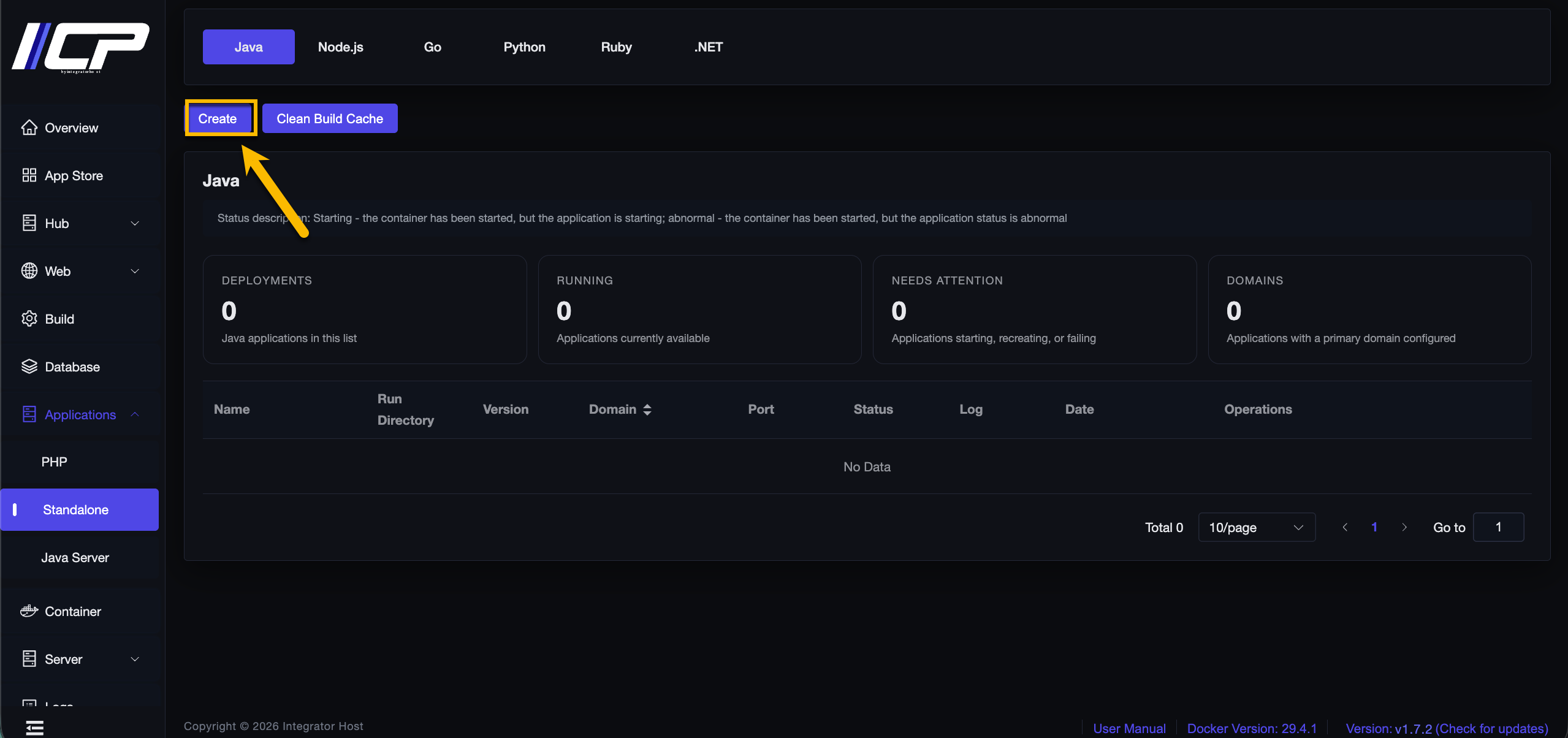
4. Click Create.
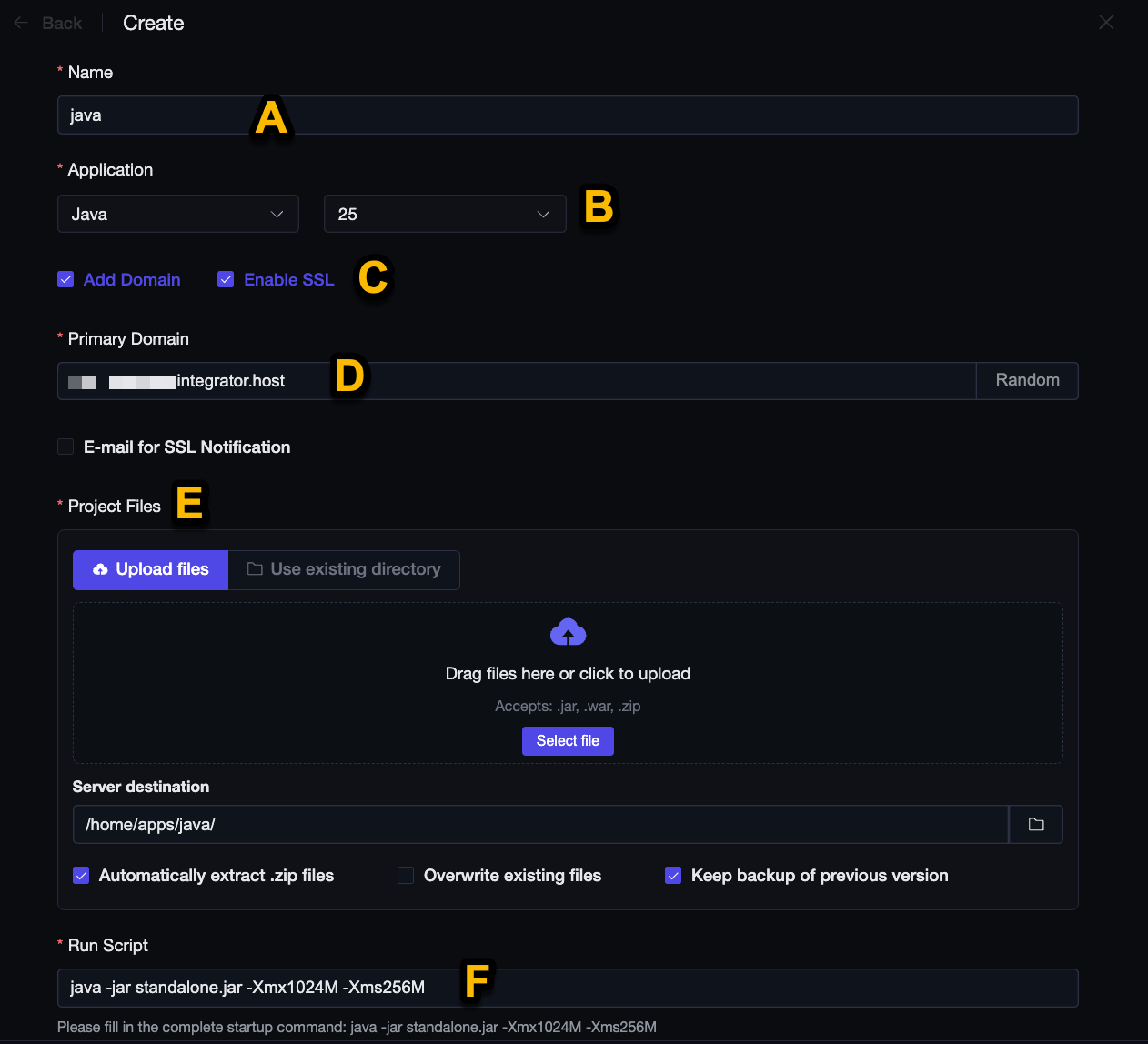
5. Fill in:
A. Enter your project name.
B. Choose the Java version.
C. Enable SSL.
D. Enter the domain → the domain must point to your machine!
E. Upload your project files or enter the existing directory where they are located.
F. Enter the Execution Script → java -jar standalone.jar -Xmx1024M -Xms256M
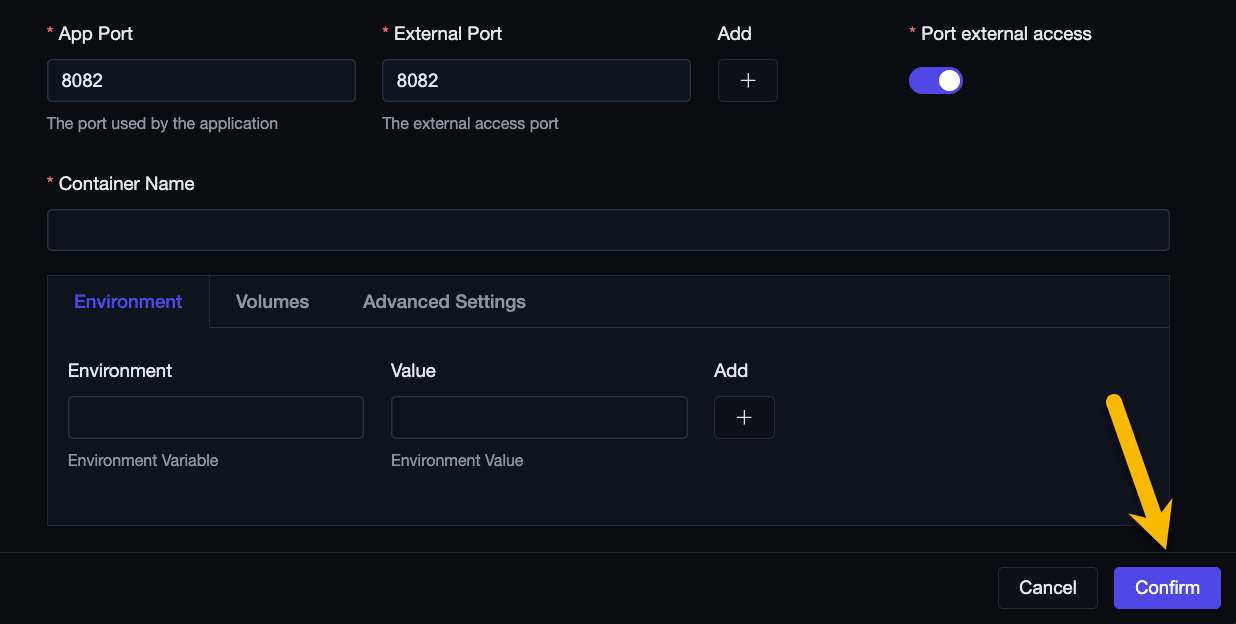
Change the remaining creation fields as desired.
Finally, click the Confirm button.
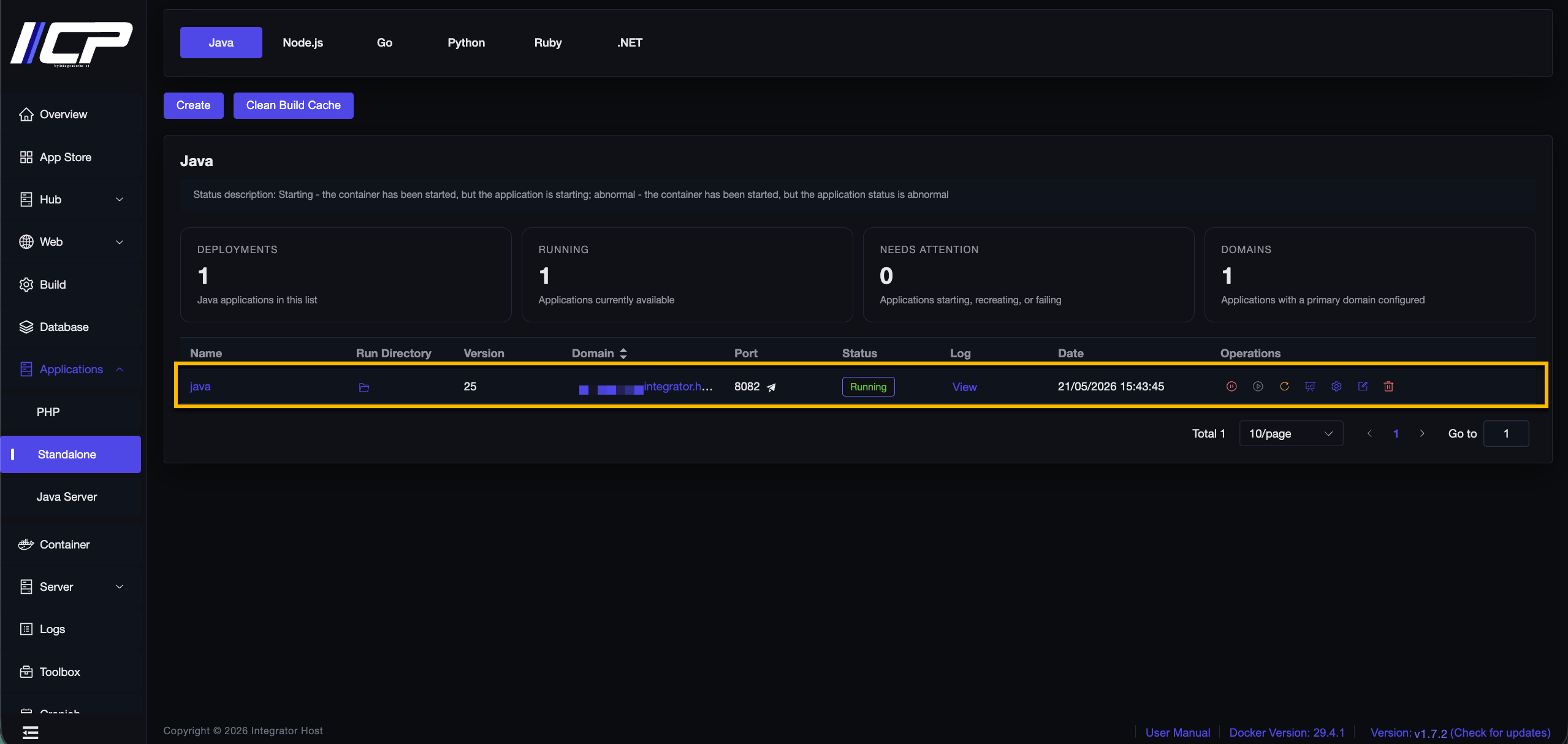
6. Done!